

Types of graphs do different jobs: bars compare categories, lines show change, histograms reveal spread, and scatter plots show relationships between paired numbers. Choose the graph that answers your reader’s question. A chart can use every number correctly and still hide the thing the reader needs to see.
This guide covers data visualization graphs for reports, presentations and articles. Each example uses synthetic teaching data, so the numbers explain the chart rather than claim something about a business or population. Open an example in the maker to change it.
How do you choose between types of graphs?
Choose a graph by the reader’s question, then check which relationships the available data supports.
Write that question in one sentence. “Which channel brought the most requests?” needs a comparison. “Where do response times cluster?” needs the individual response times. “Where did the budget go?” needs either spending categories or measured transfers, depending on what you mean by “go.”
Then inspect one row. Does it describe a category and its total, a date and a reading, one observation, or a transfer between two places? These structures can contain the same number of columns and still require different graphs.
Use the table to find your question. For a larger gallery of variations, see our chart examples.
| Question | Start with | Check first |
|---|---|---|
| Compare categories | Bar or column | One measure, same unit, zero baseline |
| Compare a few series within groups | Grouped bars or columns | Enough room to keep the groups readable |
| Follow change over time | Line | Ordered time points and honest spacing |
| Show a value holding until it changes | Step line | The value really stays constant between changes |
| Emphasize magnitude over time | Area | Meaningful zero and a single comparable measure |
| Compare totals and their parts | Stacked columns | Upper segments have different baselines |
| Split a whole into a few parts | Pie or donut | Parts are exhaustive and share one denominator |
| Make a share countable | Waffle | Units and rounding fit the grid |
| See the spread of raw numbers | Histogram | Bin width and numeric order |
| Show individual values in a small sample | Dot plot | Each dot has a stated unit |
| Explore two numeric variables | Scatter plot | A genuine numeric x scale; check renderer support |
| Compare values with less ink | Lollipop | Dot positions remain easy to compare |
| Compare before and after by category | Dumbbell | Two comparable measurements for each category |
| Show a lower and upper bound | Range | State whether bounds are min/max or uncertainty |
| Connect two snapshots across groups | Slope | Only two endpoints; name each line |
| Build up or reconcile a total | Waterfall | State which values are changes and which are totals |
| Compare an actual with its goal | Bullet | A meaningful target using the same unit |
| Report one headline measure | Big number | Unit, period and context |
| Find numeric patterns in a grid | Heatmap | Color scale and exact values |
| Compare categorical statuses | Status matrix | Explicit status labels and caveats |
| Look up exact values | Table | Sorting and clear column definitions |
| Show parts within groups | Treemap | Same unit and one valid total |
| Show nested parts in rings | Sunburst | Hierarchy and a common denominator |
| Follow ranks across periods | Bump | Ranks hide absolute value gaps |
| Show changing composition over time | Streamgraph | Moving baseline makes precise comparisons harder |
| Compare several distributions | Ridgeline | Shared scale, sample size and smoothing |
| Follow quantities between stages | Sankey | Measured directed links and honest balancing |
Start with the simplest form that preserves the answer. Add a second series only when the comparison needs it; add color when it identifies a group or encodes a value. The ONS chart guide uses the relationship in the data as the starting point, which is the rule we follow here.
Which graphs compare categories?
Categories are named groups, such as request channels or product lines. These types of graphs give each group one or more measurements on the same scale. Decide whether the reader needs the amount, the difference between two amounts, or an interval.
When should you use a bar graph?
A bar graph compares category values through bar lengths measured from a shared baseline starting at zero.
Horizontal bars leave room for long names. Sort them by value when the task is ranking, but preserve a meaningful order for age bands or ratings. Two bars per group can compare two series; many series quickly make the reader hunt through the legend.
Keep the zero baseline. Cutting it off exaggerates differences because the reader judges the length of the bar. Try the bar graph maker when your question is simply which group has more.
For the full construction process, follow our bar graph tutorial, from category totals to a checked, editable chart.
| Label | Tickets |
|---|---|
| Web | 120 |
| 80 | |
| Chat | 60 |
| Phone | 40 |
When do columns read better than horizontal bars?
A column chart is a bar graph turned upright. It suits a few groups with short labels, and a short run of periods when comparing each period’s amount matters more than following the trend.
Make the bars wide enough to identify and the labels short enough to read. If category names need rotation or abbreviation, horizontal bars usually solve the problem. The column chart maker uses the same labels-and-values structure.
| Label | Tickets |
|---|---|
| Web | 120 |
| 80 | |
| Chat | 60 |
| Phone | 40 |
What does a lollipop chart change?
A lollipop chart draws a thin stem and a dot where a bar would end. The endpoint carries the value; the stem connects it to the baseline.
We use it when a small comparison feels heavy with filled bars, especially when the labels need space. It still needs a clear scale. Keep each dot large enough to see and separate overlapping series. See lollipop examples.
| Label | Tickets |
|---|---|
| Web | 120 |
| 80 | |
| Chat | 60 |
| Phone | 40 |
When does a dumbbell show the difference more clearly?
A dumbbell connects two measurements for each category. The endpoints show the values, and the connector shows their gap. It works for before and after, two groups, or two methods measured in the same unit.
Label both endpoints so direction is clear. A long connector means a large difference, but it doesn’t explain why the difference occurred. If your question needs the intervening dates, use a line instead. Our dumbbell examples show the paired layout.
| Label | Before | After |
|---|---|---|
| Web | 100 | 120 |
| 90 | 80 | |
| Chat | 40 | 60 |
| Phone | 50 | 40 |
When should you show a range?
A range chart shows a lower and an upper value for each category. Use it for recorded minimums and maximums, quoted intervals, or uncertainty bounds calculated by the analysis.
Say what the endpoints mean. A minimum-to-maximum interval describes observed spread; a confidence interval describes uncertainty around an estimate. Drawing both with a similar line doesn’t make them interchangeable. Our line graph examples include a range variation; label your interval precisely.
| Label | Minimum | Maximum |
|---|---|---|
| Support | 2 | 12 |
| Sales | 3 | 15 |
| Billing | 1 | 8 |
| Returns | 4 | 18 |
Which graphs show changes over time?
Time data has an order that carries meaning. These types of graphs preserve that sequence while emphasizing different things: every reading, just the endpoints, or the ranking at each point.
When is a line graph the right choice?
A line graph shows successive readings in order, making changes in direction easier to follow over time.
Use one line per series and label the time unit. Straight segments avoid the extra bends a smoothed line can introduce between observations.
A missing reading is a gap, not zero. Keep a row for every hour, including one with no reading, and leave its value cell empty. In a CSV paste with the header Hour,Requests, the row 10:00, keeps that hour empty and breaks the line. Omitting the row closes up the space; joining across it suggests continuity you haven’t measured.
For our line graph maker, use evenly spaced periods such as consecutive hours or months. If measurement dates are irregular, use a tool with a numeric or date axis that preserves their actual spacing.
| Label | Requests |
|---|---|
| 08:00 | 10 |
| 09:00 | 20 |
| 10:00 | No data |
| 11:00 | 30 |
| 12:00 | 40 |
What does an area chart emphasize?
An area chart fills the space beneath a line. The fill gives more visual weight to magnitude, so it suits a series where the amount matters alongside its movement.
Start a standard area chart at zero. With several filled series, one area can cover another. A reader may also mistake the filled shape for a cumulative total. For close comparisons between series, plain lines are often easier to read. See area chart examples.
| Label | Tickets |
|---|---|
| Jan | 240 |
| Feb | 280 |
| Mar | 260 |
| Apr | 340 |
| May | 320 |
What does a slope chart leave out?
A slope chart connects a starting value to an ending value for each group. Direction shows increase or decrease; the endpoints show how much.
Use it to compare two moments. It leaves every intervening reading out, so a smooth rise and a turbulent series can have the same slope. Use direct labels and few enough groups that the connectors remain traceable. See slope chart examples.
| Label | Web | Chat | Phone | |
|---|---|---|---|---|
| January | 100 | 90 | 40 | 50 |
| April | 120 | 80 | 60 | 40 |
When should you use a bump chart?
A bump chart tracks rank across successive periods. Each path follows a competitor or category through the ordering, so crossings show who overtook whom. Use a two-period bump chart when you have ranks at only two dates; the slope example above shows measured values instead.
Ranks conceal the size of the gap. First and second place might be almost tied or far apart; the bump chart gives them the same separation. If that difference decides the story, show the underlying values alongside it. Try the bump chart maker for a question about changing position.
| Label | Web | Chat | |
|---|---|---|---|
| Jan | 120 | 100 | 80 |
| Feb | 110 | 115 | 90 |
| Mar | 95 | 110 | 105 |
| Apr | 105 | 100 | 115 |
What should you read in a streamgraph?
A streamgraph draws several changing series as flowing layers around a shifting baseline. Read each layer’s thickness to follow its amount; read the colors to follow its identity.
The vertical position of a floating layer isn’t its value. D3’s stacking documentation describes the offsets that shift these baselines. That makes a streamgraph useful for the changing mix of a whole, but awkward for checking a particular series against a fixed level. Choose ordinary lines for that task. See the streamgraph maker.
| Label | Web | Chat | |
|---|---|---|---|
| Jan | 40 | 22 | 18 |
| Feb | 38 | 24 | 22 |
| Mar | 32 | 28 | 28 |
| Apr | 25 | 30 | 35 |
| May | 30 | 25 | 40 |
Which graphs show parts of a whole?
Types of graphs that show composition need a defined total. Name it and use categories that add to it without overlap. For a survey where people can choose several answers, use bars rather than slices of the respondent population.
Percentages show the mix. Add the total when readers also need to know whether the whole grew or shrank.
When does a pie or donut chart work?
A pie divides one total into slices. A donut leaves a hole in the middle but answers the same question. Use either when a few shares differ enough to identify without careful measurement.
For comparing similar shares, bars give each value a common starting point. A pie also becomes hard to read when there are many tiny slices. Use a clear legend or labels and say what the whole contains. Our pie chart maker draws the donut form used here.
Check that the values describe distinct parts of the same population and period. Percentages for several regions aren’t parts of a countrywide total simply because they share a unit. Include omitted parts in an Other slice when appropriate. Multi-answer survey percentages can count a respondent more than once, so use bars for those responses.
| Label | Tickets |
|---|---|
| Web | 120 |
| 80 | |
| Chat | 60 |
| Phone | 40 |
What makes a waffle chart useful?
A waffle chart divides a whole into equal squares and assigns squares to parts. It makes a share tangible without asking the reader to judge slice angles.
Say what one square stands for. If the grid represents percentages, fractional shares need rounding; don’t imply the squares are exact counts of people or objects. For a precise fraction, print the value alongside the grid. See waffle chart examples.
| Label | Units |
|---|---|
| People | 60 |
| Tools | 25 |
| Space | 15 |
When should you stack bars or columns?
A stacked chart puts several components inside each category’s total. It answers two questions at once: how large is each total, and what makes it up?
Only the first segment shares the same starting point across categories. The middle segments move with the values beneath them, which makes comparing those components harder. Use grouped bars when their individual differences matter more than the totals. In the stacked chart examples, compare the total heights first, then inspect the components.
| Label | Support | Sales |
|---|---|---|
| Jan | 120 | 40 |
| Feb | 140 | 60 |
| Mar | 130 | 70 |
| Apr | 160 | 80 |
When does a treemap fit better than slices?
A treemap nests rectangles inside parent groups. Rectangle area carries the value, and enclosure carries the hierarchy: a department can contain several projects, for example.
It puts many parts in a compact space, but similar areas are harder to compare than bar lengths, and small rectangles leave little room for labels. Use the treemap maker to show the broad composition. Use a table or bars when the reader needs to rank close values precisely.
| Label |
|---|
| Group | Item | Budget units |
|---|---|---|
| People | Support | 35 |
| People | Sales | 25 |
| Tools | Software | 15 |
| Tools | Equipment | 10 |
| Space | Office | 15 |
What does a sunburst add to the hierarchy?
A sunburst lays out a hierarchy in concentric rings. Inner segments are parents; outer segments show the children within them. Follow a segment outward to read its branch.
The ring position describes depth in the hierarchy. An outer segment has more physical area because it sits farther from the center, so don’t compare segments across rings by area alone. Name the parent groups and keep tiny branches readable. Try the sunburst maker when the path through groups is part of the question.
| Label |
|---|
| Group | Item | Budget units |
|---|---|---|
| People | Support | 35 |
| People | Sales | 25 |
| Tools | Software | 15 |
| Tools | Equipment | 10 |
| Space | Office | 15 |
Which graphs show a distribution or a relationship?
These types of graphs use individual observations: one numeric value for a distribution, two paired values for a relationship. A distribution describes how values spread out. An average per group can’t recover that spread or the pairing once the individual observations have been discarded.
When should you use a histogram?
A histogram groups numeric observations into ordered bins and shows how many values fall inside each bin.
The horizontal axis is a number line divided into intervals. It can show a concentration of short response times and a tail of slow ones that an average hides. Bin width changes the apparent shape: broad bins smooth details away, narrow bins expose more variation.
NIST’s histogram guidance distinguishes counts from normalized density. Unequal bins require attention to area rather than just height. Our histogram maker uses equal-width bins; the histogram versus bar graph guide explains the distinction in detail.
Start with the raw measurements, one per observation, rather than a total for each label. Keep the bin boundaries in numeric order, and state the measurement unit. Try a second bin width before deciding that a small bump or gap describes a separate group.
| Label | Replies |
|---|---|
| 1–4 | 4 |
| 4–7 | 8 |
| 7–10 | 3 |
| 10–13 | 1 |
When is a dot plot easier to read?
A stacked dot plot shows individual numeric values on a number line. Repeated values stack above the same position, so every observation remains visible.
It works for a small sample where the reader should see clusters and exceptions without a binning decision. As the sample grows, tall stacks become crowded and a histogram becomes more practical. The dots here each stand for one observation; they aren’t category totals. Try the dot plot maker.
| Label | Replies |
|---|---|
| 1 | 1 |
| 2 | 3 |
| 3 | 5 |
| 4 | 4 |
| 5 | 2 |
When should you compare distributions with a ridgeline?
A ridgeline plot arranges several distribution curves in rows. An aligned row of curves helps you compare the locations of peaks and the lengths of tails across groups without the detail of individual bins. Use separate aligned histograms when the counts inside those bins are the question.
Each curve is smoothed from observations. The ggplot2 density documentation distinguishes density from count: a tall normalized peak doesn’t tell you the group has more observations. Show each group’s observation count in a label or alongside the plot. Smoothing can merge nearby peaks or expose small ones, so check the underlying data before turning a bump into a claim. Keep the same measurement scale across rows and use comparable smoothing so apparent differences come from the observations. Use the ridgeline maker to compare distributions across groups while keeping the individual observations available.
| Label |
|---|
| Weekday | Reading | Minutes |
|---|---|---|
| Monday | 1 | 2 |
| Monday | 2 | 3 |
| Monday | 3 | 4 |
| Monday | 4 | 4 |
| Monday | 5 | 5 |
| Monday | 6 | 5 |
| Monday | 7 | 6 |
| Monday | 8 | 7 |
| Monday | 9 | 8 |
| Monday | 10 | 12 |
| Tuesday | 1 | 1 |
| Tuesday | 2 | 2 |
| Tuesday | 3 | 2 |
| Tuesday | 4 | 3 |
| Tuesday | 5 | 3 |
| Tuesday | 6 | 4 |
| Tuesday | 7 | 4 |
| Tuesday | 8 | 5 |
| Tuesday | 9 | 6 |
| Tuesday | 10 | 8 |
| Friday | 1 | 3 |
| Friday | 2 | 4 |
| Friday | 3 | 5 |
| Friday | 4 | 6 |
| Friday | 5 | 6 |
| Friday | 6 | 7 |
| Friday | 7 | 8 |
| Friday | 8 | 9 |
| Friday | 9 | 12 |
| Friday | 10 | 15 |
What does a scatter plot need?
A scatter plot pairs two numeric measurements for each observation, showing association without establishing cause and effect.
One point could pair a job’s duration with its resource use. Its horizontal position is the first measurement and its vertical position the second. Preserve the pairing; sorting the columns separately creates invented observations.
NIST explicitly warns that association doesn’t establish causation. A hidden third variable can move both measurements. The example uses x values from 1 to 5 at equal intervals. For irregular x values, use a tool that preserves their actual spacing. Explore the scatter plot maker with that constraint in mind.
Read the shape before fitting a line: a curved pattern or separate clusters can be useful even when there is little straight-line association. Investigate an unusual point instead of deleting it just to tidy the chart.
| Label | Reply time (minutes) |
|---|---|
| 1 | 2 |
| 2 | 4 |
| 3 | 3 |
| 4 | 6 |
| 5 | 8 |
Try it with your data
New on Meiku Charts
Any currency and your own units in every maker
Find any of 156 currencies by name or code, or put your own unit before or after the number. The Design panel is also shorter.
See what changed →Which graphs explain a total or a target?
These forms answer a narrower question than a category comparison: how the number was built, how it compares with a reference, or what the current number is.
When should you build a waterfall chart?
A waterfall shows signed contributions to a running total. A positive step adds to the balance; a negative step reduces it. The ending total explains where the steps leave you.
Use a signed waterfall for a reconciliation with additions and deductions. Our live example builds its total from positive contributions. Our maker accepts those positive contributions; for deductions, use a tool that supports signed waterfall inputs. Treat each input as a contribution rather than an independent monthly total, or the chart will add those totals together. See waterfall chart examples.
| Label | Units |
|---|---|
| Base | 50 |
| Grant | 25 |
| Fees | 15 |
| Other | 10 |
What should a bullet chart compare?
A bullet chart places a measured value beside a reference, usually a target. The original specification by Stephen Few also describes background ranges for performance context; our example keeps the comparison to actual and target.
A target alone doesn’t establish whether a project is on track. That judgment needs the time period and expected progress by now. Label the measurement and reference in the same unit. See bullet chart examples.
| Label | Completed | Goal |
|---|---|---|
| Support | 74 | 80 |
| Sales | 91 | 85 |
| Billing | 96 | 99 |
When is a large number enough?
A number display makes one metric easy to find. It suits a dashboard’s headline count or current reading, when that single value is the reader’s first task.
Give it a unit, a period and a definition. “Requests this week” answers more than an isolated number. If the reader needs to know whether the reading rose or fell, supply a comparison or a trend nearby. See number display examples.
| Label | Total |
|---|---|
| Tickets | 300 |
When should you use color, statuses or a table?
Some readers need the pattern across a grid. Others need to locate one row and read its exact entry. Choose for that task before replacing the cells with shapes.
When does a heatmap reveal a pattern?
A heatmap turns numeric values in a grid into color. It fits a question about busy days across teams or high and low values across many combinations.
Color makes broad clusters visible but doesn’t carry exact values as clearly as labels. Explain the scale, keep comparable grids on the same range, and avoid assuming a reader can distinguish every shade. See heatmap examples.
| Label | Support | Sales | Billing |
|---|---|---|---|
| Mon | 12 | 8 | 21 |
| Tue | 30 | 15 | 9 |
| Wed | 18 | 22 | 14 |
| Thu | 44 | 19 | 6 |
| Fri | 27 | 35 | 11 |
When should a grid show statuses instead of quantities?
A status matrix shows states such as yes, no, partial or unknown across items and criteria. An unknown result means evidence is missing; it shouldn’t silently become no.
Text labels and notes explain states more clearly than color alone. The live table below uses status cells for the same lookup task, with room for a condition behind a partial result. See status matrix examples for the compact grid form.
| Plan | Export | Sharing | History |
|---|---|---|---|
| Basic | yes | no | no |
| Plus | yes | yes | Partial [This fictional plan retains only its ten latest edits.] |
| Team | yes | yes | yes |
When is a live table the best choice?
A table suits exact lookup, mixed units and notes that don’t fit a chart. A reader checking one item can find its row and read the value directly.
Sort comparable values, search for a name, and keep the units in the headings. You can show a chart beside the table if the pattern also matters. The table maker keeps the structure editable, including statuses and explanations.
For a complete mixed-data example, our comparison chart guide builds a venue table, checks an access condition and compares the same costs as bars.
| Channel | Tickets |
|---|---|
| Web | 120 |
| 80 | |
| Chat | 60 |
| Phone | 40 |
When does a Sankey diagram fit your data?
A Sankey diagram shows measured flows between named stages, with link widths proportional to their recorded amounts.
Each link needs a source, a destination and an amount. A budget can enter a central pot and leave through spending categories; a process can route counted items through several stages. Use a consistent unit so the widths mean the same thing throughout. The D3 Sankey documentation defines links with these source, target and value fields.
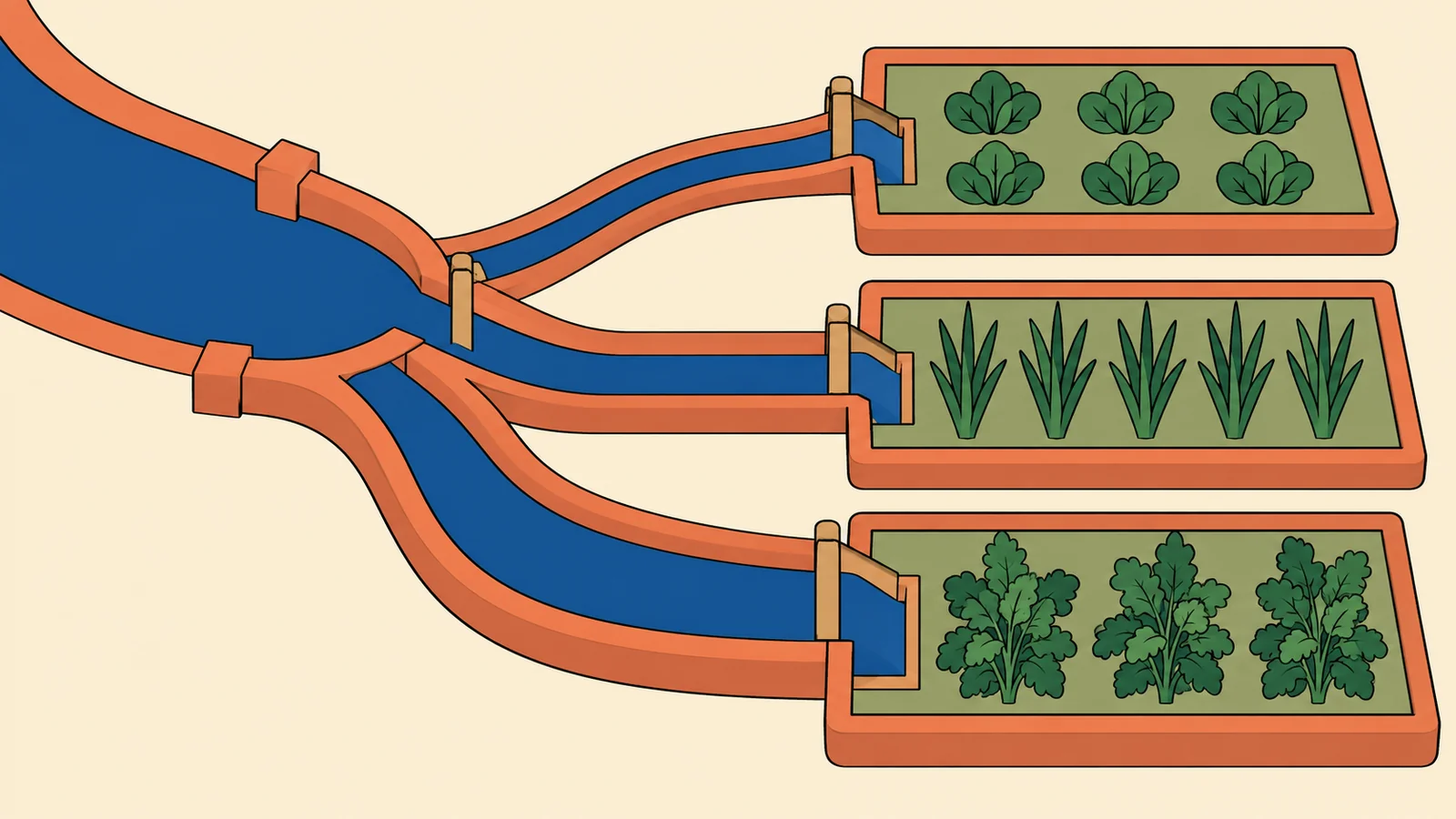
A connection isn’t automatically a flow. Two categories appearing together, a correlation between measurements, or a change between two years doesn’t tell you that anything moved between them. If the dataset doesn’t identify transfers, use a comparison or relationship chart.
For a measured flow, try the Sankey maker. Label losses, gains or unrecorded amounts when stages don’t balance; silently filling the gap invents data.
| Label |
|---|
| Source | Destination | Budget units |
|---|---|---|
| Fees | Budget | 70 |
| Grant | Budget | 30 |
| Budget | People | 60 |
| Budget | Tools | 25 |
| Budget | Space | 15 |
What should you check before sharing a graph?
Read the chart as someone who hasn’t seen the spreadsheet. Can they tell what each mark measures, the unit, the time period and the population or total it refers to? Put those details in the title, labels or source line.
Then test the likely wrong reading. Does a missing value look like zero? Does a rank look like a measured gap? Could a percentage increase hide a shrinking total? Is the range an observed minimum and maximum or uncertainty around an estimate? Fix the label or switch the form before asking the reader to infer the answer.
How can you try a different graph on the same data?
Use Open in the maker directly below a figure to load that example’s data. The maker links inside the prose open a general starting point instead. In Chart Studio, inspect the rows under Data. To keep a copy with its labels and settings, choose Export, then Chart spec, then Download JSON. Choose Image for PNG or SVG, or Embed for a live chart. The table maker has its own Download JSON and Copy embed controls.
These are invented teaching values. The Sources at the bottom support the chart-reading guidance, not the example numbers.
Start with the small category comparison below, then open it in the chart maker. Try horizontal bars and columns, change a value, and check which labels are easiest to read. A type switch can redraw the same data, but the data still has to support the new question.
Try it with your data
If your numbers are already in a spreadsheet, our Google Sheets guide explains the data layout and the common fixes before you share the chart.
For a report in Docs, use our Google Docs chart guide to choose between a linked chart and a PNG.
Comments